Parlando Download

Talk to any app.
So can your agent.

Say it the way you’d say it. Parlando writes it, cleaned up, into whatever app you’re in. The same engine is a command and an MCP server, so Claude, Cursor and your scripts can transcribe a recording on your Mac, take dictation and look up what you said.

Transcribes on your Mac · No account · No subscription · macOS 14+

One key, any app.

If it takes text, it takes your voice. Hold the shortcut, talk, let go, and the words are in. No plug-ins, nothing to wait for. Prefer the fn key? That works too.

  • Mail
  • Slack
  • Notion
  • Messages
  • Xcode
  • Safari
  • Terminal
  • Word

Say it messy.
It lands clean.

The ums, the false starts and your “scratch that” are gone before the text arrives. Names you taught it come out spelled right. English, Czech and 23 more languages, transcribed on your Mac.

Works offline, on a plane. No AI key needed for any of this.

so um I think we should uh ship it on MondayI think we should ship it on Monday.
let’s meet on Tuesday scratch that let’s meet on Wednesday at tenLet’s meet on Wednesday at ten.
can we move the net sweet demo to Thursday question markCan we move the NetSuite demo to Thursday?
takže ehm zítra vyzvednu Jonáše ve tři smaž to zítra vyzvednu Jonáše v půl třetíZítra vyzvednu Jonáše v půl třetí.

One Voice per job.

A client email, a Slack reply, a note to yourself. Describe each one in plain words and tie it to an app. Parlando picks the Voice from the app you’re in, and if it guessed wrong, swap it after the paste and the text rewrites in place.

You say, once

tell the team the demo moves to thursday because the numbers aren’t final

In Mail · Professional Email

Hi all,

We’re moving the demo to Thursday, as the numbers aren’t final yet.

Best,
Daniel

In Slack · Slack

heads up: demo moves to Thursday, numbers aren’t final yet

In Notes · Clean up

Tell the team the demo moves to Thursday because the numbers aren’t final.

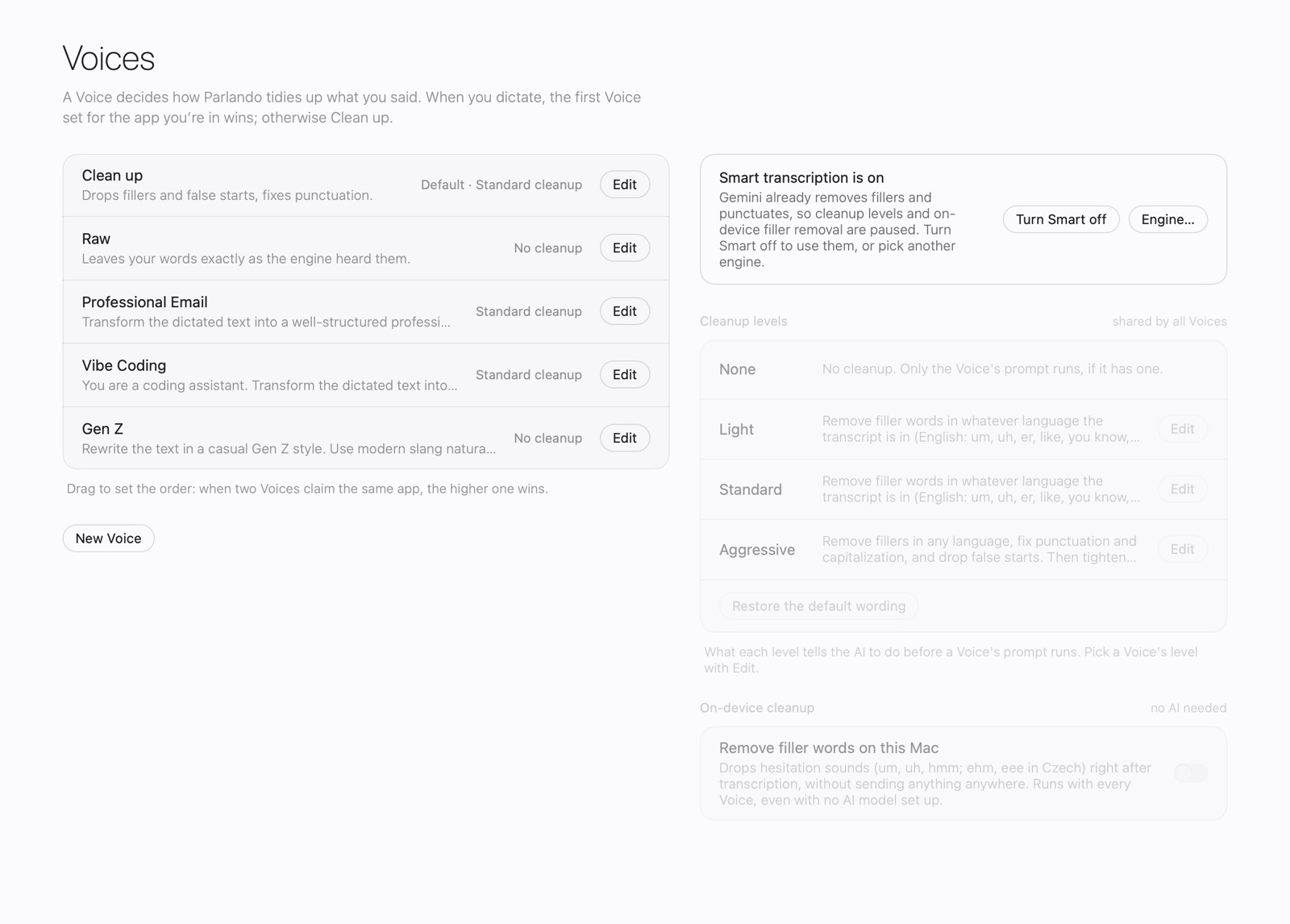
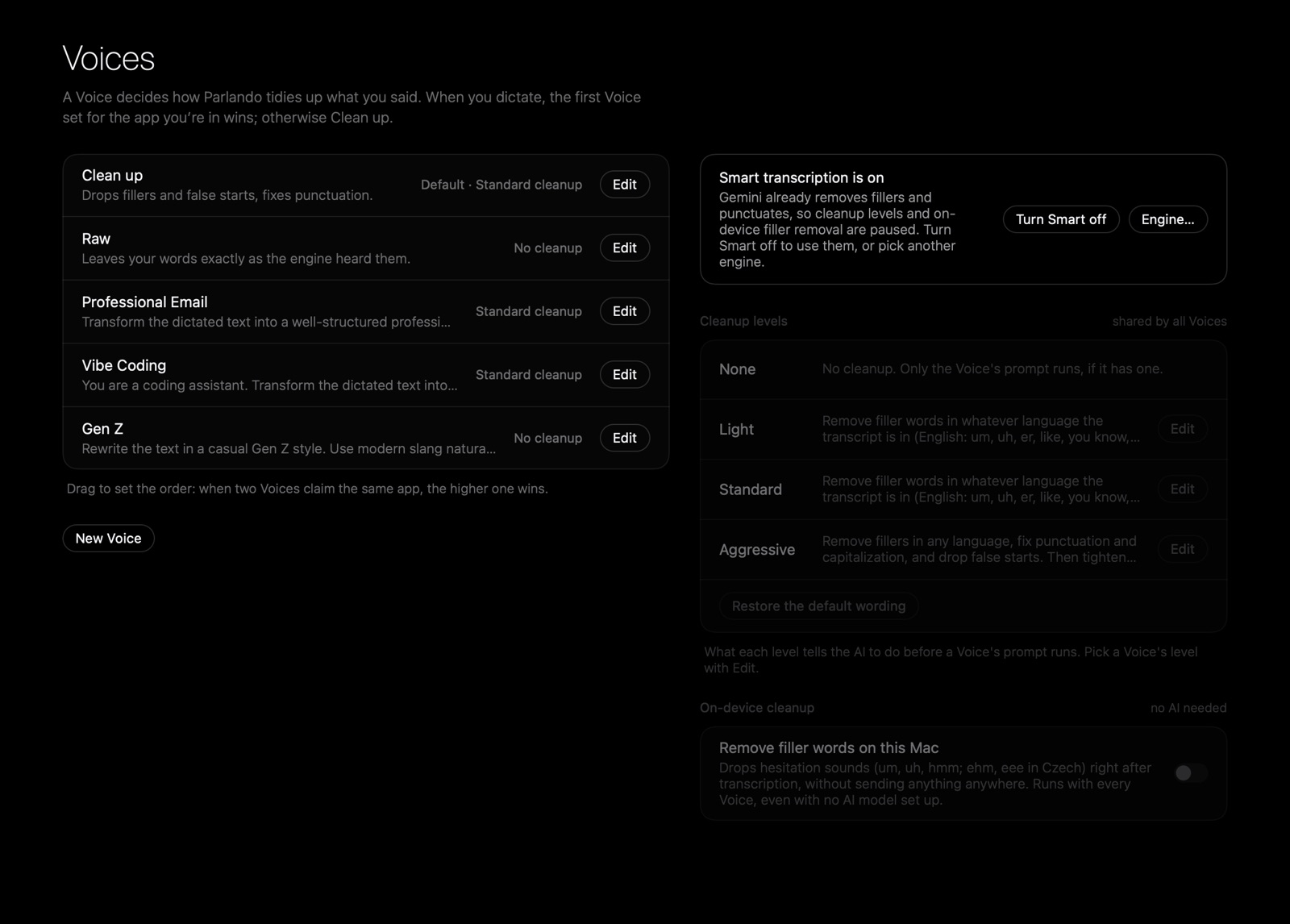
Settings, Voices: Clean up, Raw, Professional Email, Vibe Coding and Gen Z, with the shared cleanup levels beside them. Settings, Voices: Clean up, Raw, Professional Email, Vibe Coding and Gen Z, with the shared cleanup levels beside them.
Your Voices, from Raw to a full rewrite.
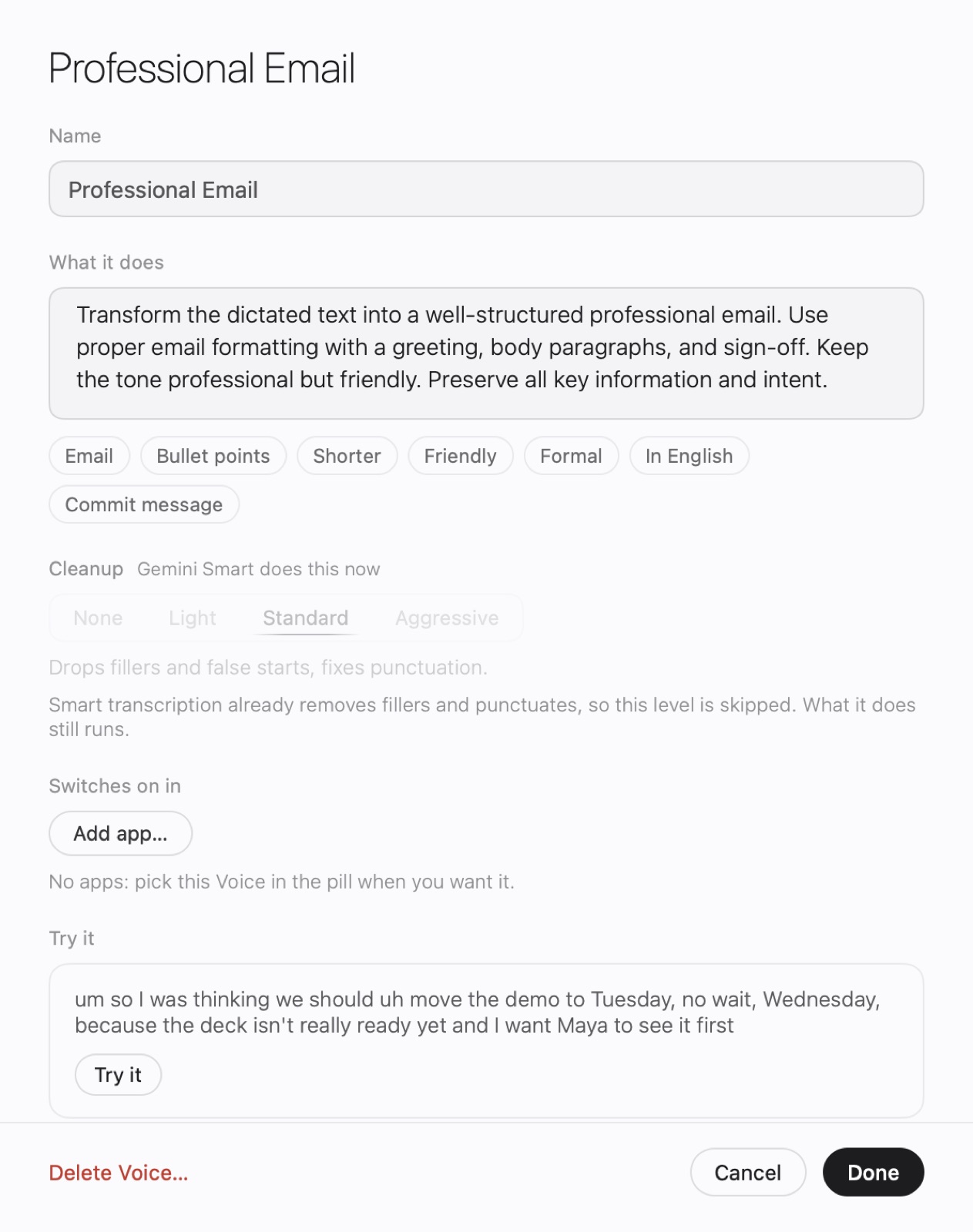
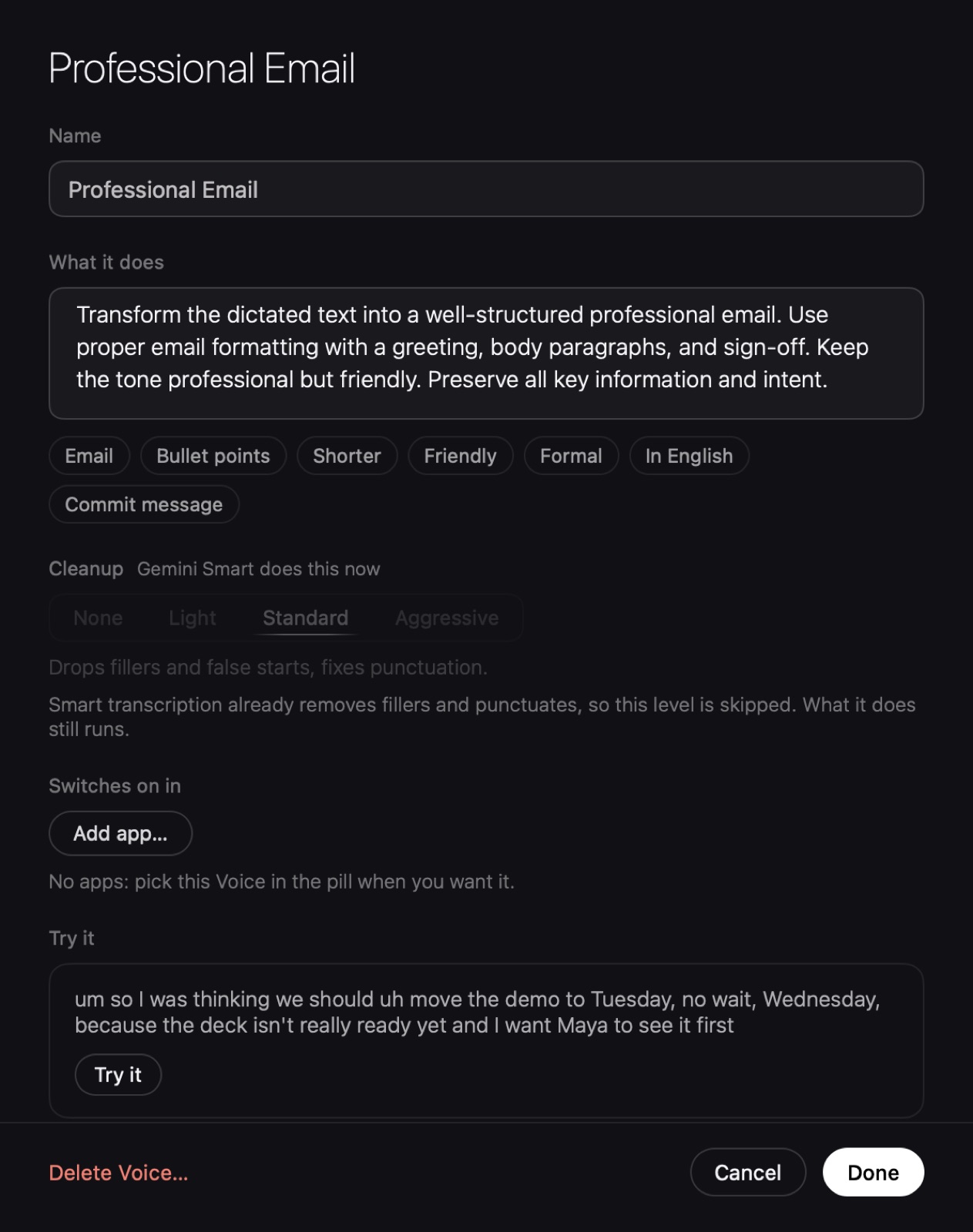
The Voice editor for Professional Email: what it does, cleanup level, the apps it switches on in, and Try it. The Voice editor for Professional Email: what it does, cleanup level, the apps it switches on in, and Try it.
Try a Voice on a sample before you keep it.

Select. Say what to change.

Shorter, warmer, more formal, in Czech. Say it, and the selection is rewritten where it stands, in any app. Undo brings the original back.

Selected in Mail

Quick update on the demo. I was wondering if it might be possible for us to maybe move it to Thursday, if that works for everyone involved. I’ll bring the new numbers.

You saymake it shorter
Pasted back

Can we move the demo to Thursday? I’ll bring the new numbers.

Your agents get ears.
And a memory of what you said.

parlando is also a command and an MCP server, inside the app. Same engine, same Dictionary, same Voices. Claude, Cursor or a two-line script can transcribe a recording on your Mac, take dictation, or look up what you said.

$ claude mcp add --scope user parlando -- parlando mcp
Connects Claude Code. Claude Desktop and Cursor take the same server in a few lines of JSON. Setup
More recipes →

Transcribe a meeting

Hand your agent the recording. Parlando turns it into text on your Mac with transcribe_file, and the agent writes the decisions, the owners and the follow-up.

Claude Codeparlando mcp
> Transcribe ~/Recordings/acme-kickoff.m4a, list decisions and owners ⏺ parlando · transcribe_file  ⎿ 38 min of audio, transcribed on this Mac ⏺ Three decisions from the kickoff:  · Pricing page goes live 14 Nov. Owner: Jonas  · Maya sends the data export by Friday  · Sofia books the security review # no agent? the same from a shell$ parlando transcribe kickoff.m4a | claude -p "Decisions and owners"
Voice memos become notes

Drop a recording into a folder, from your phone or a recorder, and a note appears next to your others. launchd runs the script whenever the folder changes; nothing to open.

~/bin/memos.shlaunchd · WatchPaths ~/Memos/Inbox
PATH=/usr/local/bin:$PATHshopt -s nullglobfor f in ~/Memos/Inbox/*.m4a; do  parlando transcribe "$f" --no-save \    -o ~/Notes/"$(basename "$f" .m4a)".md && mv "$f" ~/Memos/Done/done $ ls ~/Notes2026-10-30 walk home.md   pitch idea.md   call with Jonas.md

Commit by voice

Say what changed; your coding Voice writes the message. Say nothing and the commit fails instead of going in empty.

zshgit
$ git commit -m "$(parlando dictate --voice 'Vibe Coding')"[main 4f1c2e9] Fix the CSV export dropping the last row 1 file changed, 3 insertions(+), 1 deletion(-) # or talk straight to Claude Code$ parlando dictate | claude -p

Four MCP tools: transcribe_file, search_history, recent_transcripts, rewrite_text. The server gives your transcripts only to the agents you connect, so add it where you’d show your History. More recipes · Every command and flag

Find anything you said.

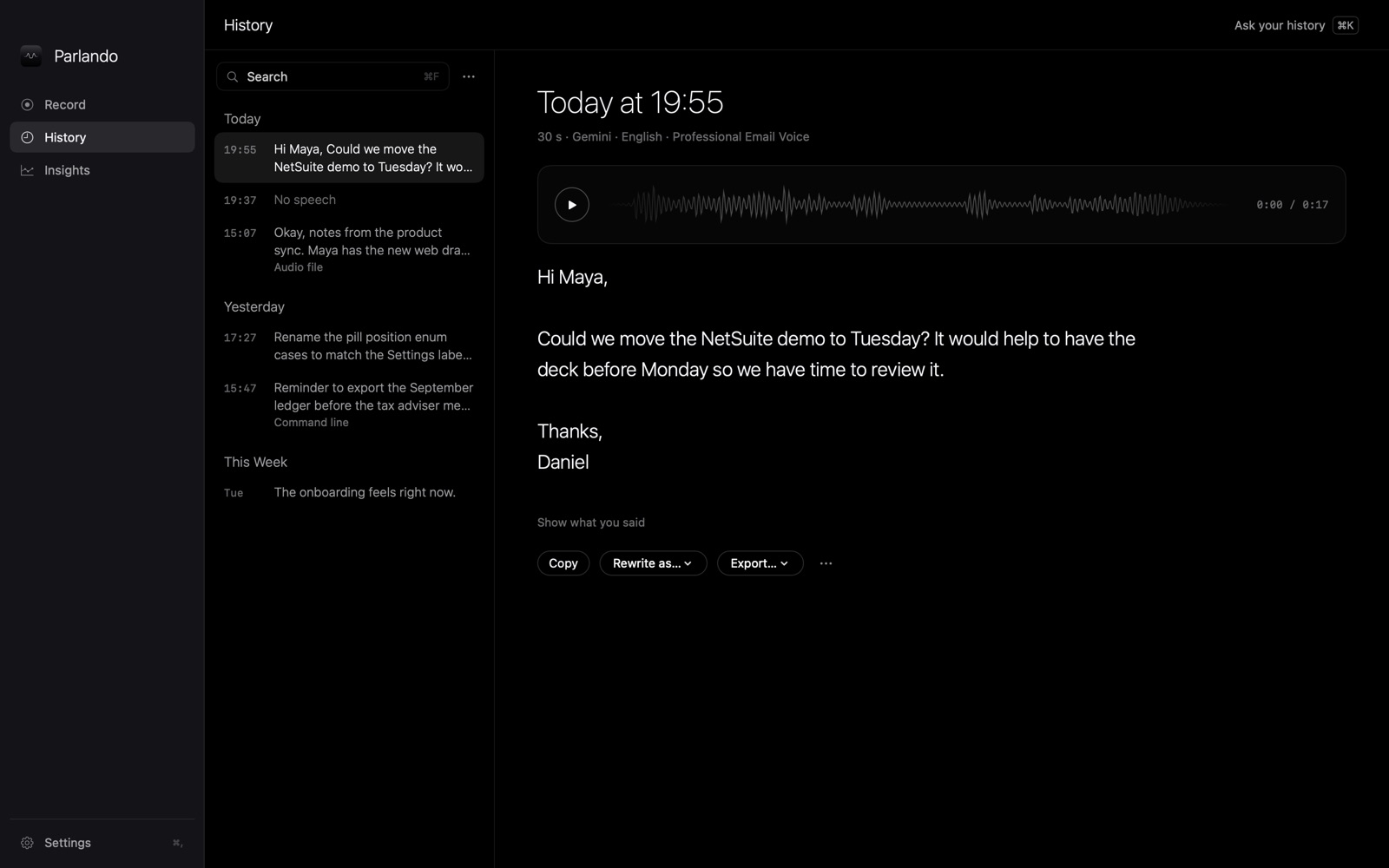
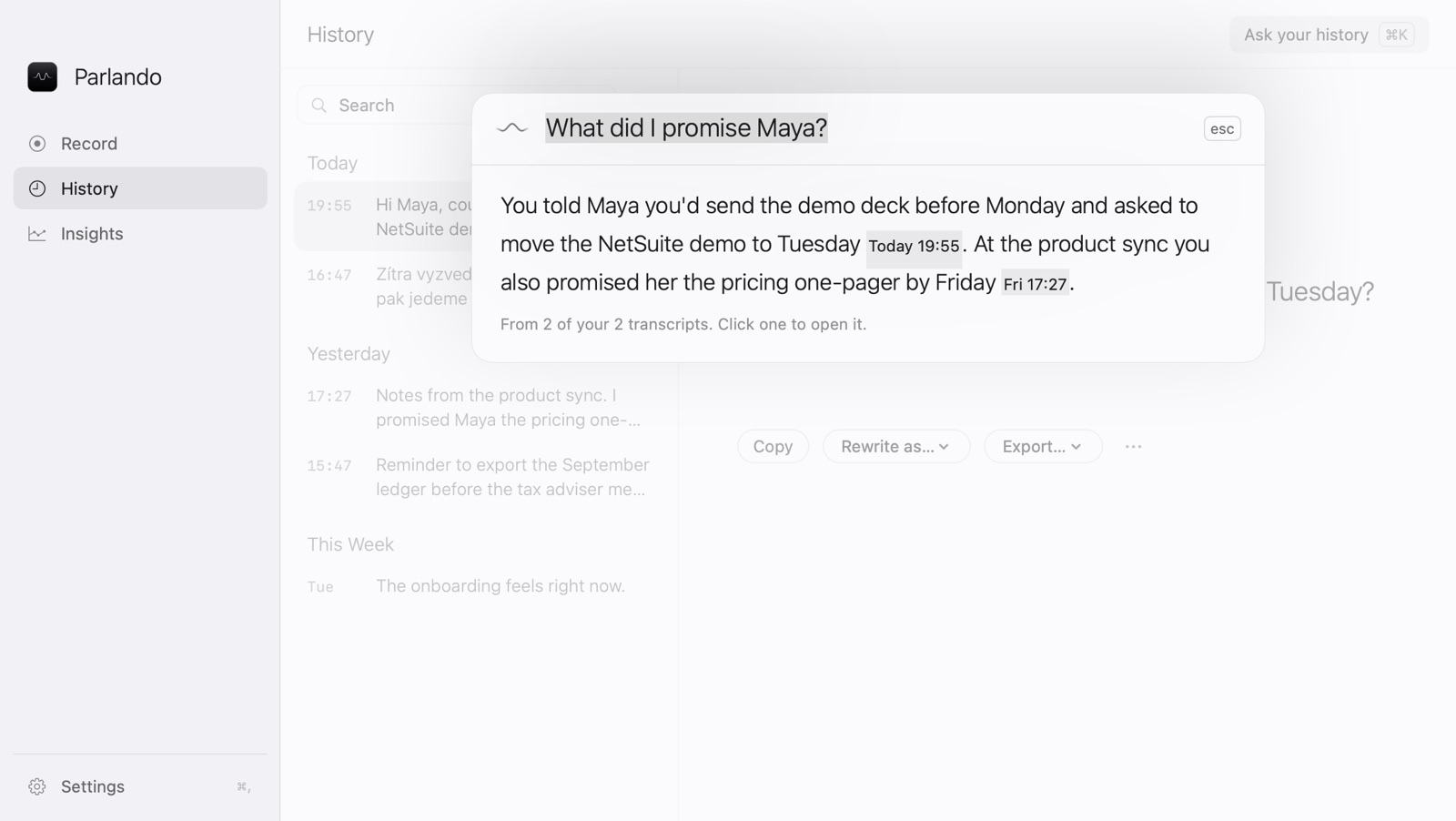
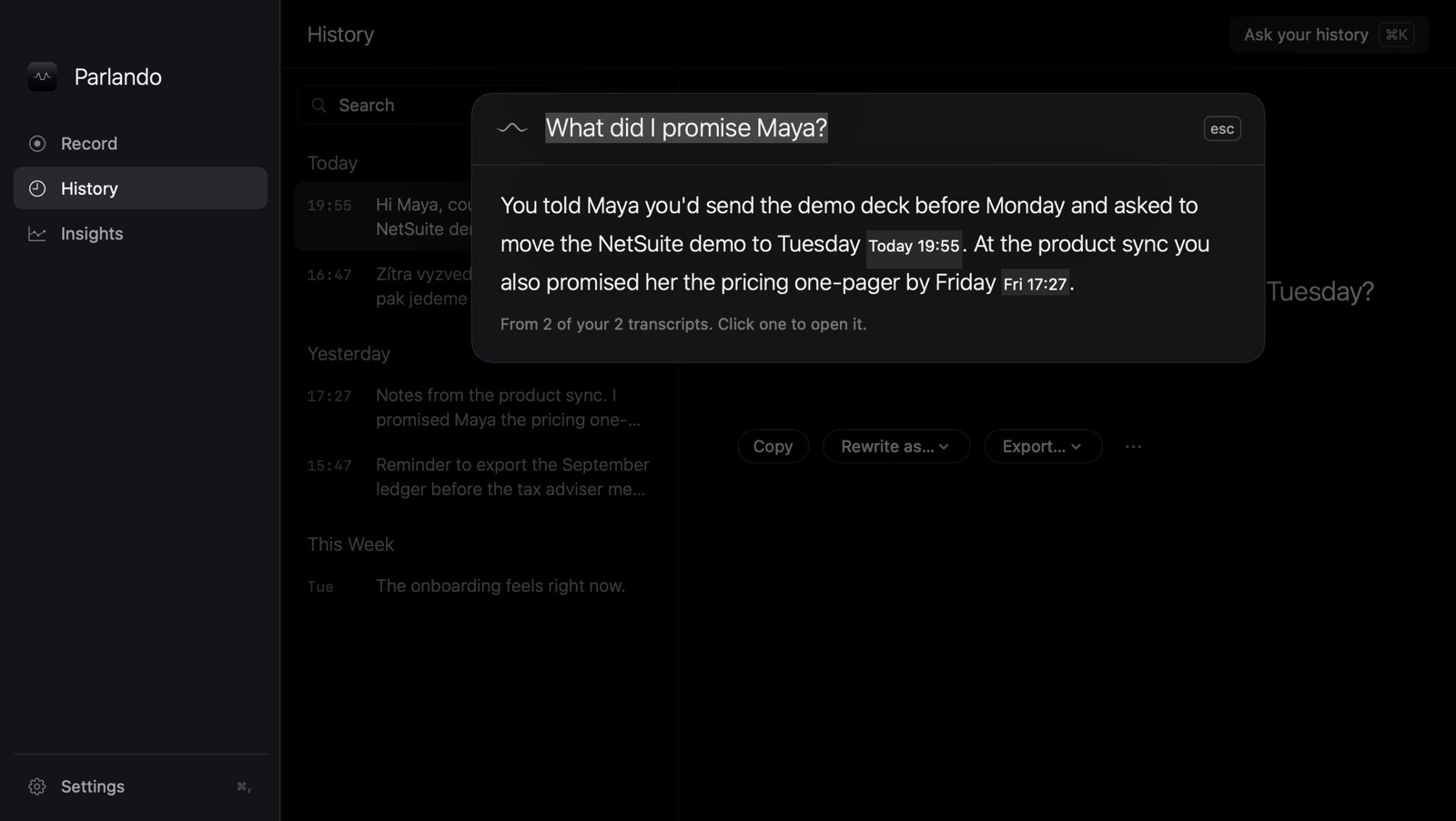
Every take is kept on your Mac with its audio. Search it, play it back, fix a word. Or just ask: “What did I promise Maya?” The answer comes from your own words, with links to the takes. Your agents can ask the same question through search_history.

Ask your history: the question “What did I promise Maya?” answered in two sentences, each linked to the transcript it came from. Ask your history: the question “What did I promise Maya?” answered in two sentences, each linked to the transcript it came from.
Ask your history, ⌘K. Uses your AI key, and only when you ask.
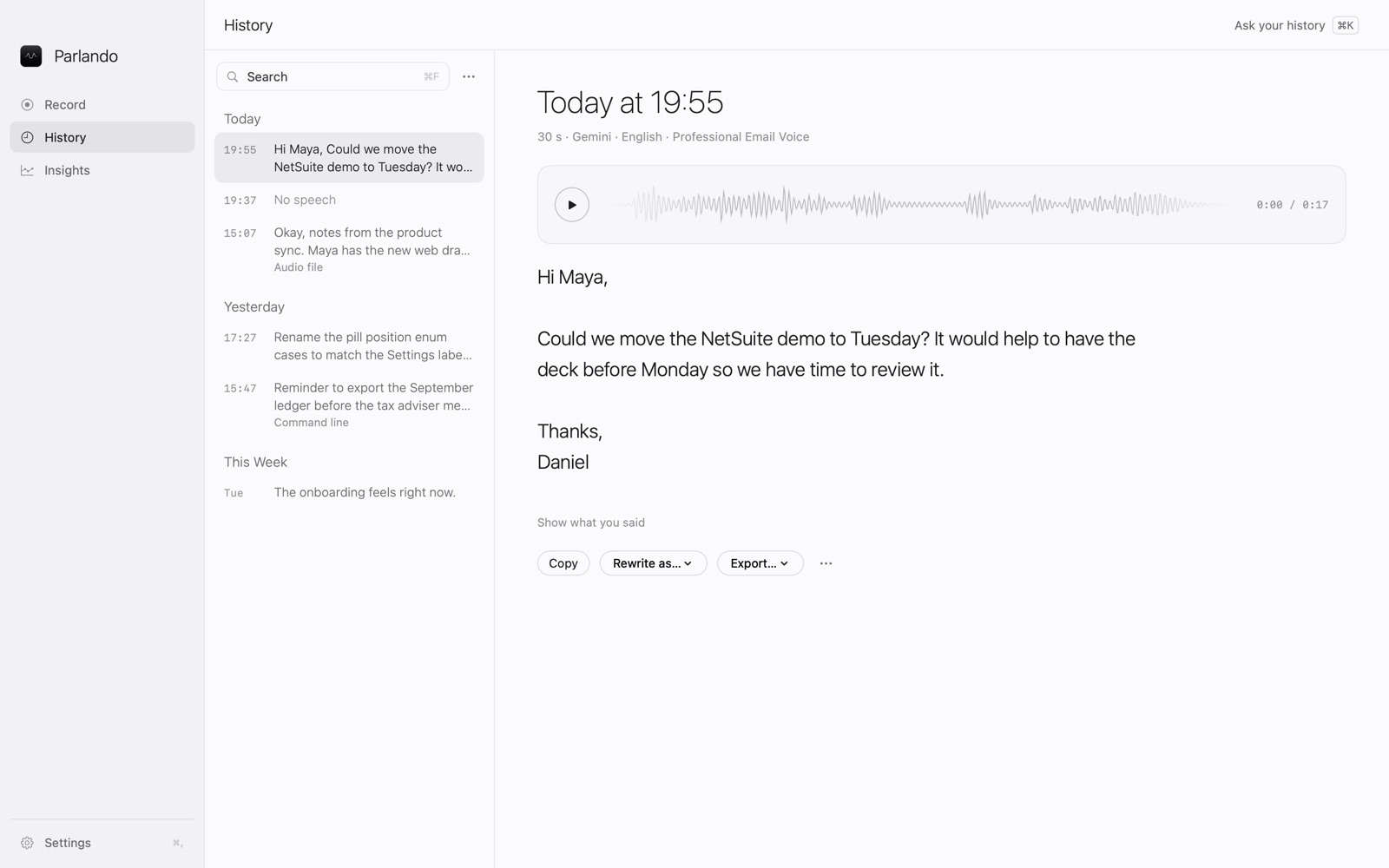
History: a list of today's and yesterday's dictations on the left, the selected email with its audio waveform on the right. History: a list of today's and yesterday's dictations on the left, the selected email with its audio waveform on the right.
History reads like a notebook. Every take, with its audio.
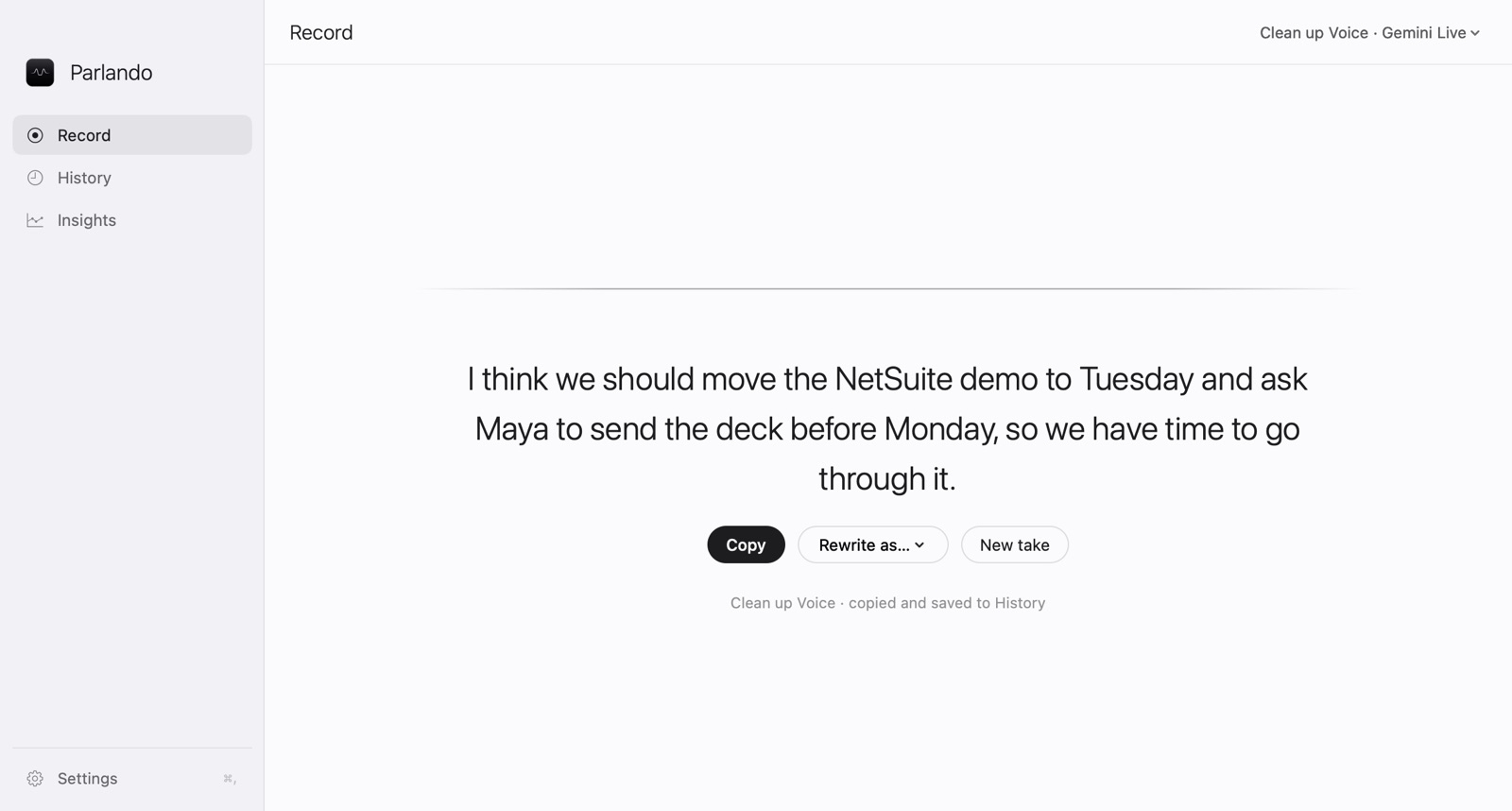
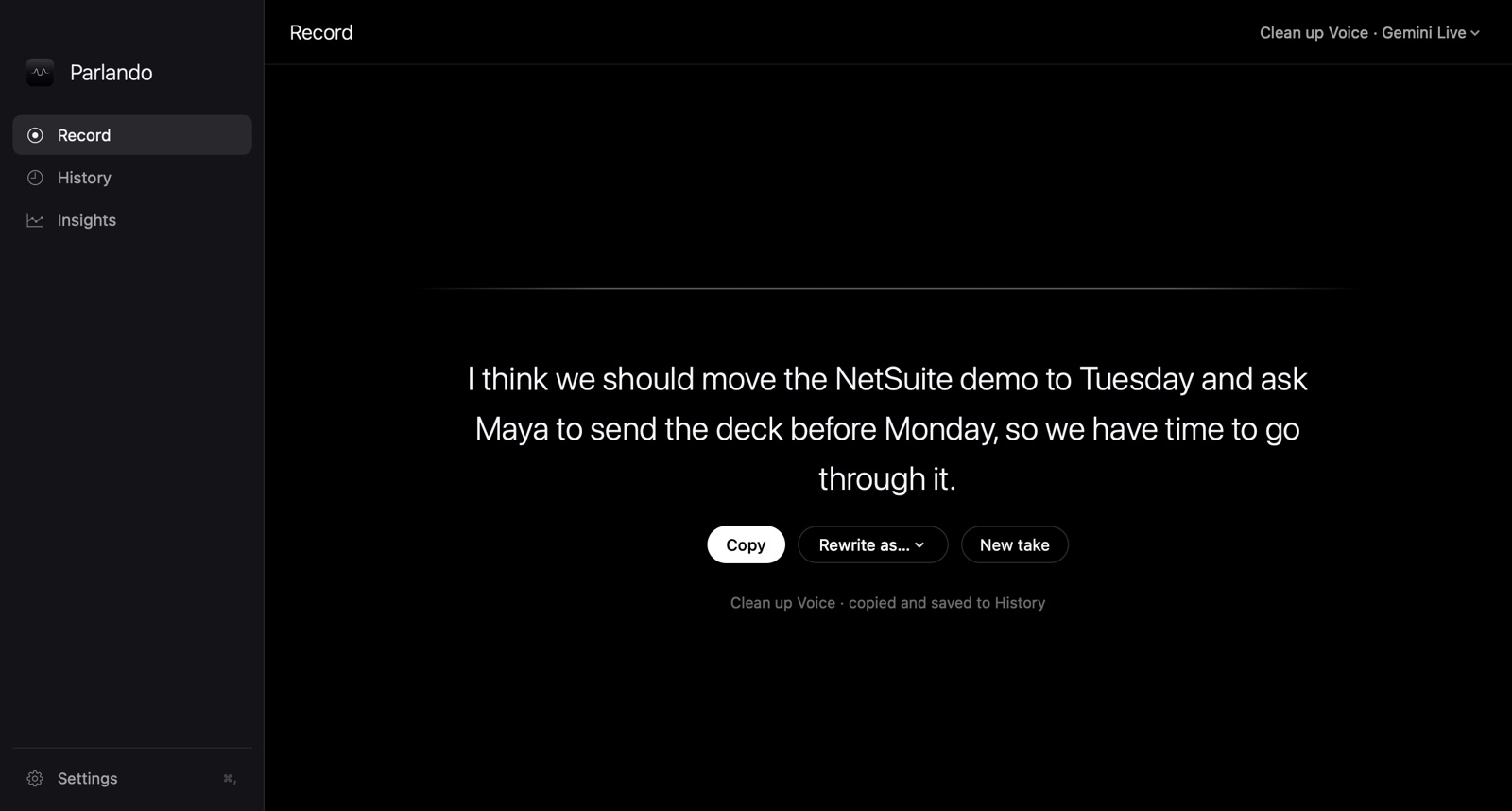
Parlando's Record page after a dictation: the sentence in large light type, with Copy, Rewrite as and New take below it. Parlando's Record page after a dictation: the sentence in large light type, with Copy, Rewrite as and New take below it.
Talk to the window. Record keeps the take for you to copy. Drop a voice memo on it and it’s transcribed.
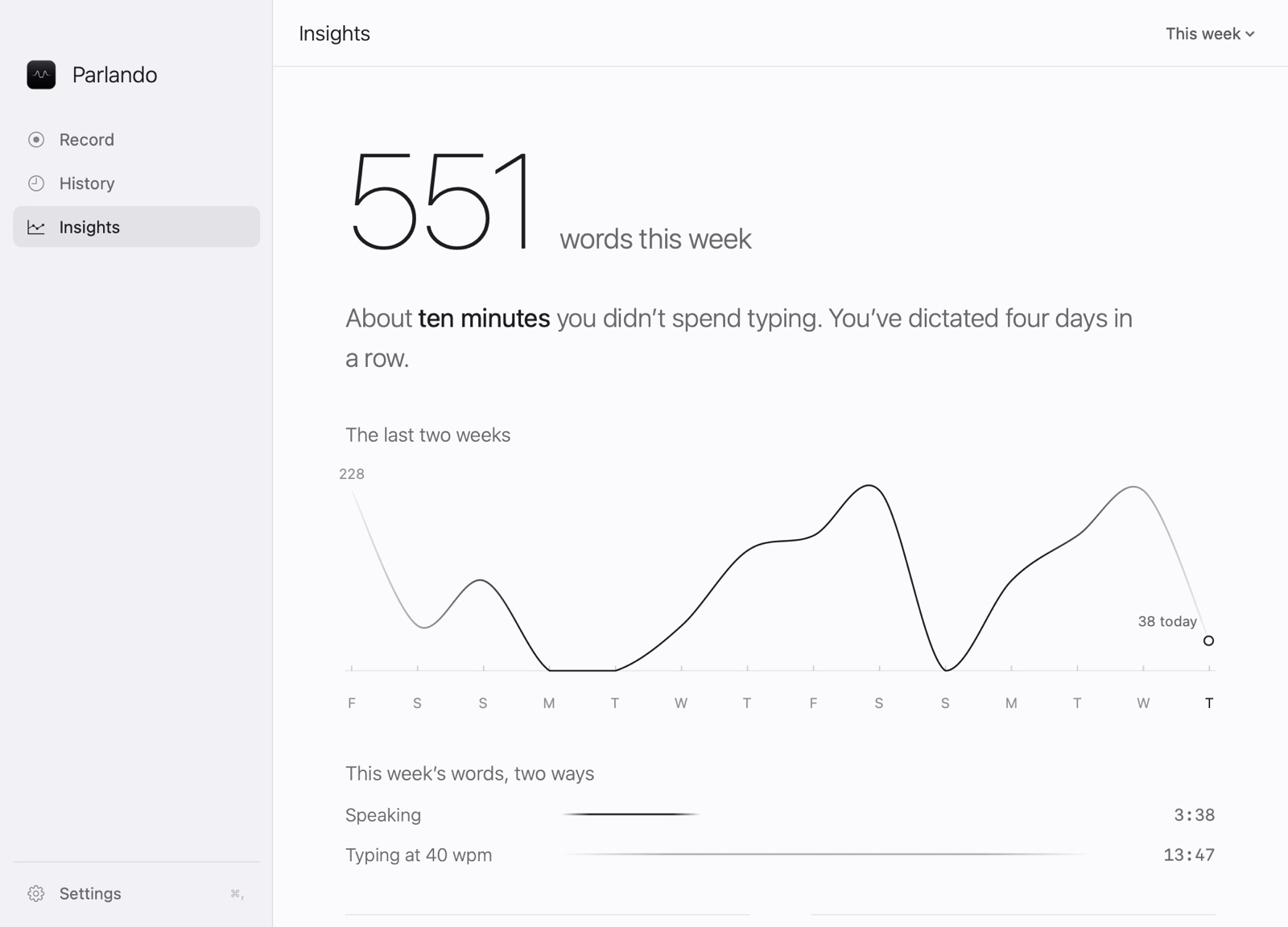
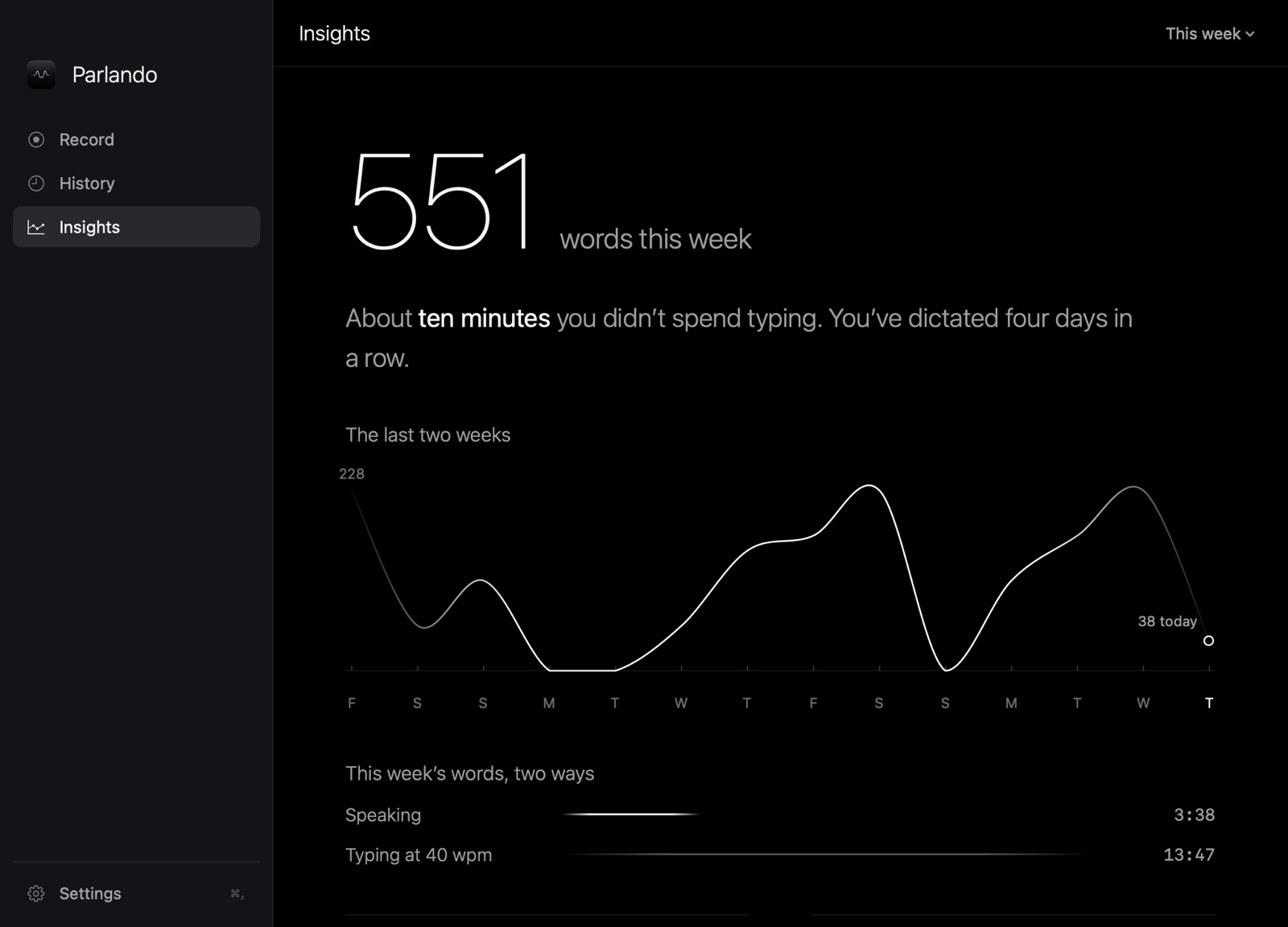
Insights: words this week, minutes saved, a line chart of the last two weeks, and speaking versus typing time. Insights: words this week, minutes saved, a line chart of the last two weeks, and speaking versus typing time.
See the typing you skipped. Words, minutes saved and fillers removed, counted on your Mac.

Private by default.
Your keys for the rest.

Transcribed here

Parakeet and Whisper run on your Mac. Your voice doesn’t leave it.

Cloud on your terms

AI Voices, live text and Ask use the provider you pick, with your own key in the Keychain. Straight from your Mac to them, never through us.

No account, no tracking

Nothing to sign up for. Parlando doesn’t measure how you use it.

Anthropic, OpenAI, Google Gemini, Groq, Mistral, xAI, DeepSeek, Oracle OCI. What goes where

Launch price

$49$39

One-time · up to 3 Macs · 14 days free

  • Every feature in the trial. No card.
  • Yours, not rented. No subscription, no account.
  • All 1.x updates included.
  • Refund within 14 days of buying.
  • macOS 14 or later. Signed and notarized.

Cloud features are billed by your AI provider, usually a fraction of a cent per dictation. Local dictation costs nothing more. Licence and refunds

Questions

Does my voice leave my Mac?

Not with the local engines, Parakeet and Whisper. If you choose a cloud engine, live text or an AI Voice, the audio or text goes straight from your Mac to the provider you picked, with your key. Parlando has no server that sees it.

Do I need an AI key?

No. Dictation with on-device cleanup works without one. A key adds Voices that rewrite, live text, Command Mode and Ask your history.

Which agents work with the MCP server?

Any MCP client that runs a local server over stdio: Claude Code, Claude Desktop, Cursor and others. It offers four tools: transcribe a file, search your History, list recent takes, rewrite text in a Voice. The docs have the setup.

Which languages does it understand?

Parakeet understands 25 European languages, English and Czech among them. Whisper and the cloud engines handle many more. Parlando doesn’t translate unless you ask it to.

Does it work in every app?

Anywhere you can paste: Mail, Slack, Notes, browsers, editors, terminals. Parlando needs the macOS Accessibility permission to paste for you, or it can copy the text and leave the paste to you.

How many Macs can I use it on?

Up to three Macs you use yourself. Deactivate an old one to move the licence to a new Mac.

What happens when the trial ends?

Recording stops until you buy a licence. Your History, Voices and settings stay where they are.

Why isn’t it on the App Store?

Selling it directly lets one licence cover three of your Macs, and keeps the parlando command and MCP server in the app.

Does it run on Intel Macs?

It needs macOS 14 Sonoma or later. The local models run best on Apple silicon; on an Intel Mac pick a smaller Whisper model or a cloud engine. Try it before you buy.

More in the docs

Say the next one instead of typing it.

The name comes from music: parlando means “in a speaking manner”, sung as if spoken.